
Place your ad here - 320x50

AnyMP4 DVD Ripper for Mac 9.1.6
Last update:
Mon, 21 September 2026, 6:00:04 am
Submission date:
Sun, 24 July 2011, 9:00:58 am
Vote for this product
Place your ad here - 728x90
AnyMP4 DVD Ripper for Mac description
Place your ad here - 336x280
Rip home-made DVDs to video formats like MP4/AVI/WMV/MOV at high speed on Mac.
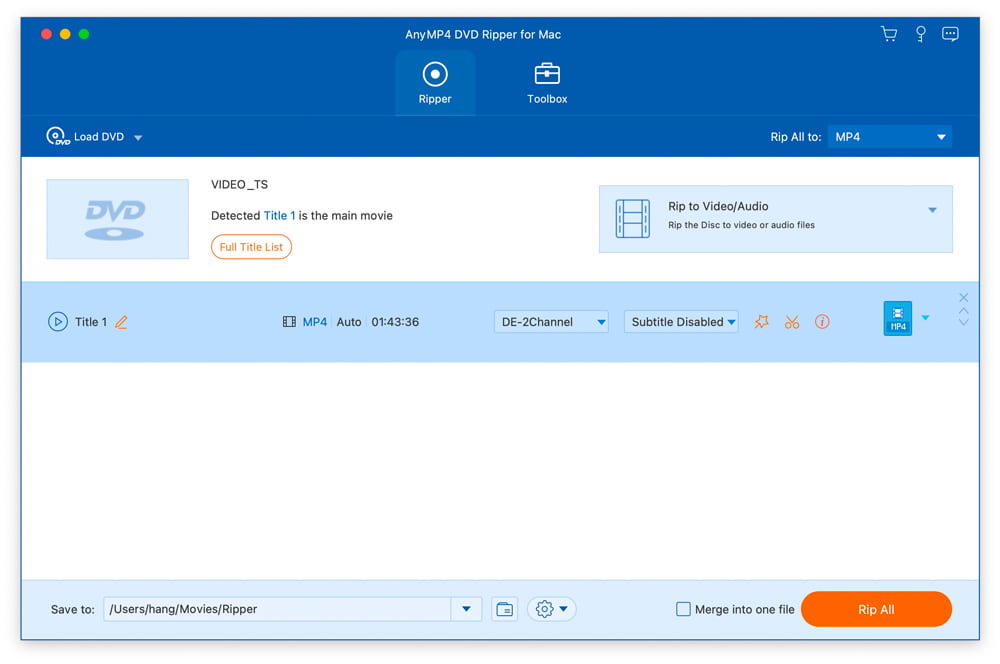
AnyMP4 DVD Ripper for Mac comes with many pre-defined output profiles, so you can pick whichever suits your needs. Output video offers broad support for portable iOS and Android devices, making it easy to watch DVD movies on your smartphone or tablet, whether at home or on the go. Key features: 1. Convert home-made DVDs to any video or audio format AnyMP4 DVD Ripper for Mac helps you convert home-made DVDs to popular video formats like MP4, MKV, AVI, MOV, WMV, FLV, M4V, TS, DivX, WebM, and 3GP. It can also rip DVDs to popular audio formats including MP3, WAV, OGG, M4A, WMA, and AC3, with high ripping speed and quality. It can also load and convert RTAV discs. 2. Edit DVDs and adjust video effects AnyMP4 DVD Ripper for Mac includes many useful editing features to help you customize video effects before ripping a DVD. You can rotate the video, trim it to keep only the part you need, crop out black edges, add personal text or image watermarks, and adjust output effects such as brightness, contrast, saturation, and hue. 3. Enhance video quality and compress large files With AnyMP4 DVD Ripper for Mac, you can easily enhance video quality and compress large HD/SD videos in MTS, TS, MP4, MOV, and other formats down to a smaller file size as needed. The software also lets you conveniently create GIF images and convert screen-capture formats. Requirements: Intel Processor, 2 GHz or faster, and Apple M-series chips (including M5) What's new in this release: Fix some bugs and optimize the product Place your ad here - 728x15
Comments (0)
FAQs (0)
History
Promote
Author
Analytics
Videos (0)
Share this page


• Audio (462)
• Business & Finance (1645) • Desktop Enhancements (95) • Games (280) • Home & Education (650) • Networks & Internet (893) • Multimedia & Design (373) • Software Development (242) • Utilities (4278) • Web Authoring (145) • eBooks (4) • Graphics (392) Translate with Google


Related downloads
• AnyMP4 Blu-ray Ripper 8.2.36
rip Blu-ray to popular video and audio files • DVD Audio Extractor 8.9.0 Full featured Blu-ray / DVD audio ripper. • AnyMP4 DVD Creator 7.5.8 Burn any video to a DVD/Blu-ray disc. • Tipard Video Converter for Mac 9.1.50 Convert any video and audio on Mac. • AnyMP4 MP4 Converter 7.2.36 Convert DVD/video to MP4 video format. • Bigasoft Total Video Converter for Mac 5.8.2.9497 Convert between various video files on Mac • Express Dictate Pro for Mac 9.00 Express Dictate for Mac OS X • AnyMP4 DVD Copy 3.1.86 Copy DVD to disc/folder/ISO on PC • Free MP3 Cutter Joiner 2026.2 Cut and Join MP3 in simple way • Free Video Converter 2026 All-in-one powerful free video converter More >>> Top downloads in this category
1. Tipard DVD Ripper Pack for Mac 4.2.96
Downloads: 1,192 2. Tipard Video Converter for Mac 9.1.50 Downloads: 1,060 3. Tipard DVD Software Toolkit 6.5.90 Downloads: 844 4. mediAvatar DVD to iPad Converter for Mac 6.6.0.0623 Downloads: 804 5. AnyMP4 MTS Converter for Mac 8.2.22 Downloads: 657 6. iSkysoft iPhone Ringtone Maker for Mac 1.6.0 Downloads: 656 7. Bigasoft Total Video Converter for Mac 5.8.2.9497 Downloads: 639 8. Sidify Apple Music Converter for Mac 5.4.3 Downloads: 614 9. Free MP3 Cutter Joiner 2026.2 Downloads: 608 10. Express Rip Plus CD Ripper 6.00 Downloads: 594 More >>> |
Contact Us | Submit Software | Link to Us | Terms Of Service | Privacy Policy |
Editor Login
InfraDrive Tufoxy.com | hunt your software everywhere.
© 2008 - 2026 InfraDrive, Inc. All Rights Reserved
InfraDrive Tufoxy.com | hunt your software everywhere.
© 2008 - 2026 InfraDrive, Inc. All Rights Reserved